
Rainbow Alphabet Survivor 3D1.0.2 - AppGallery
You'll be able to see results in few seconds.
Publisher Description

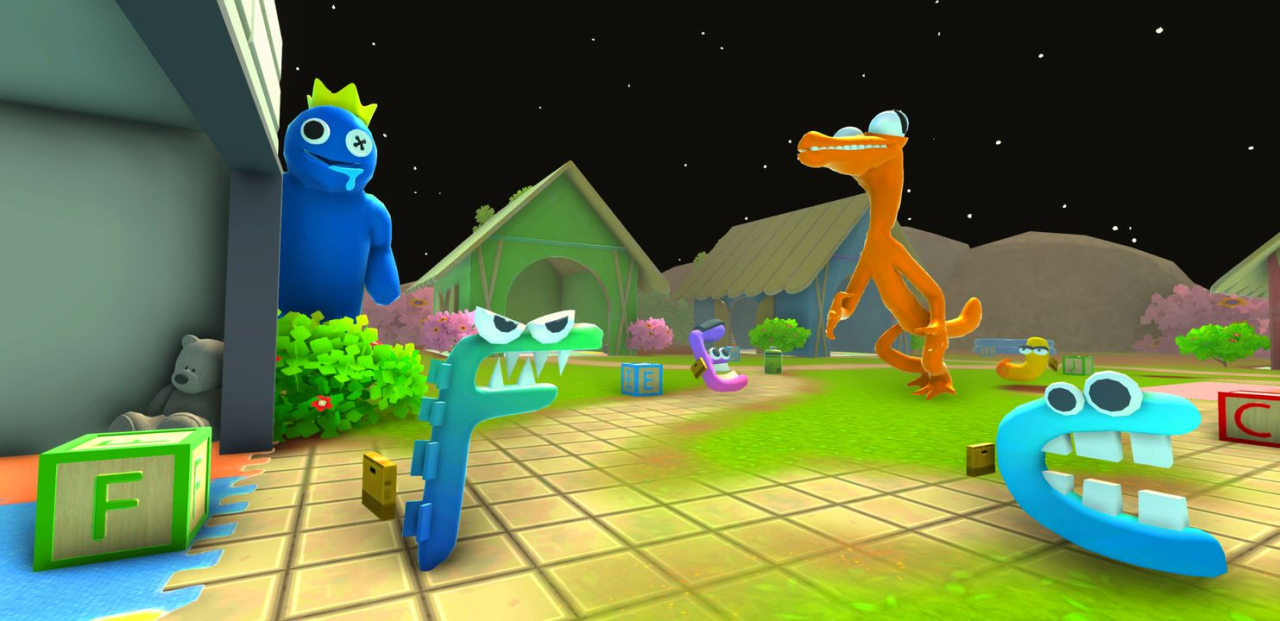


I'm handsome guy - your guide in this Rainbow Alphabet Survivor 3D game. The special mobile version of Rainbow Game.
In Rainbow Alphabet Survivor 3D mobile game, you take on the role of an unnamed child who was abducted while on a field trip with his class to a park in the mobile game Rainbow Alphabet Survivor 3D. No more playtime. You are forced to live in a strange place that is completely devoid of life from the moment you are captured, with the exception of you and the Rainbow Monster
.
HOW TO SURVIVE
Stay alive by positioning yourself so that the exact icon that is displayed on the board pushes other monsters into the spike trap. Be fast and pick a good position.
In order to avoid being shot down, you must run to the finish line in 15 seconds without Baby Yellow noticing you
Move a flexible campus while avoiding Baby Yellow's gun shots
If you don't want to die while playing the game, pay close attention to the sound and environment.
You can't afford to miss the terrifying but enjoyable experience that is Rainbow Alphabet Survivor 3D. What starts out as a friendly encounter with the monsters quickly turns into a terrifying nightmare.
About Rainbow Alphabet Survivor 3D
The company that develops Rainbow Alphabet Survivor 3D is HotPlay. The latest version released by its developer is 1.0.2.
To install Rainbow Alphabet Survivor 3D on your Huawei device, just click the green Continue To App button above to start the installation process. The app is listed on our website since 2023-03-02 and was downloaded 0 times. We have already checked if the download link is safe, however for your own protection we recommend that you scan the downloaded app with your antivirus. Your antivirus may detect the Rainbow Alphabet Survivor 3D as malware if the download link to C107494429 is broken.
How to install Rainbow Alphabet Survivor 3D on your Huawei device:
- Click on the Continue To App button on our website. This will redirect you to Huawei Store.
- Once the Rainbow Alphabet Survivor 3D is shown in the Huawei Store listing of your Huawei device, you can start its download and installation. Tap on the Install button located below the search bar and to the right of the app icon.
- A pop-up window with the permissions required by Rainbow Alphabet Survivor 3D will be shown. Click on Accept to continue the process.
- Rainbow Alphabet Survivor 3D will be downloaded onto your device, displaying a progress. Once the download completes, the installation will start and you'll get a notification after the installation is finished.
Program Details
System requirements
Download information
Pricing
Version History
version 1.0.2
posted on 2023-03-02
Disclaimer
Official AppGallery Link
We do not host Rainbow Alphabet Survivor 3D on our servers. We did not scan it for viruses, adware, spyware or other type of malware. This app is hosted by Huawei and passed their terms and conditions to be listed there. We recommend caution when installing it.
The AppGallery link for Rainbow Alphabet Survivor 3D is provided to you by apps112.com without any warranties, representations or guarantees of any kind, so access it at your own risk.
If you have questions regarding this particular app contact the publisher directly. For questions about the functionalities of apps112.com contact us.
